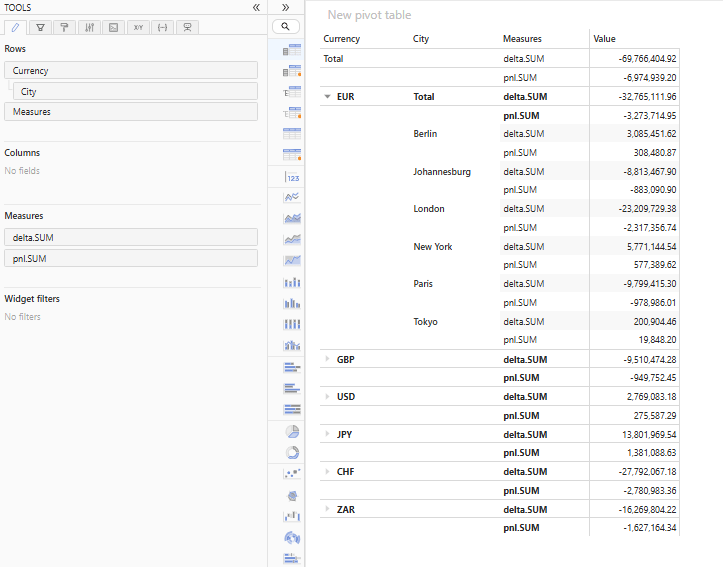
How to drill down in a multilevel hierarchy
Clicking the drilldown caret next to a member in the table drills it down to the next level of its hierarchy. Members can be drilled down level by level, all the way to the leaf level. Clicking the caret again collapses the member, along with all its descendants. To add a multilevel hierarchy to a widget, see Add a multilevel hierarchy to a pivot table or tree table widget. A multilevel hierarchy that is a separate tile after a drilldown chain has no drilldown carets. Drilling it down would create a second drilldown chain in the section, which is not supported.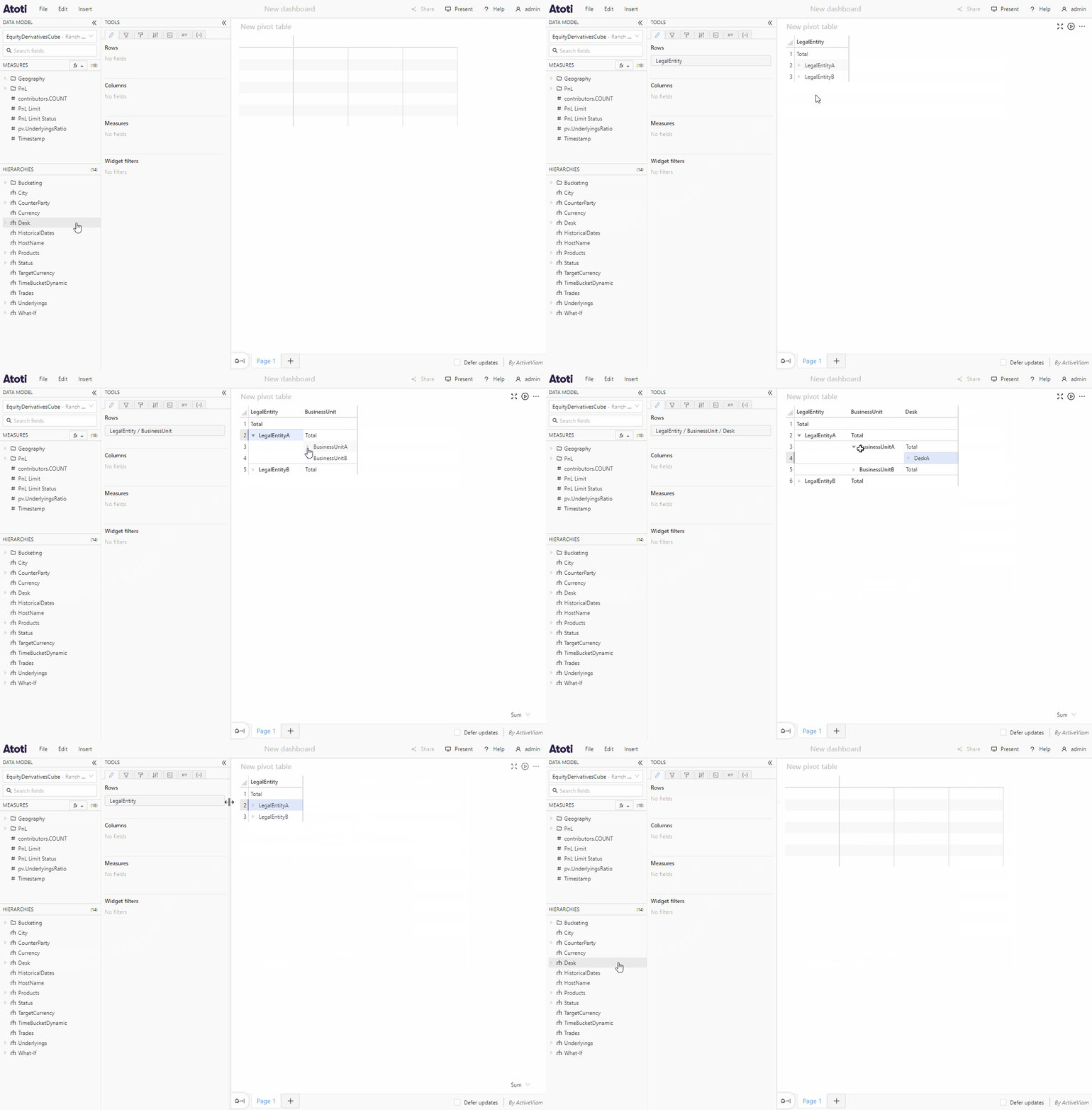
How to drill down by a different hierarchy
Drag the new hierarchy from the data model and drop it below the original hierarchy’s tile in the Fields tab with Drill down one by one. To select this option when dropping, see Which drop options are available below a hierarchy?. The new hierarchy joins the original hierarchy in a drilldown chain. No member of the original hierarchy is drilled down at first. Instead, a drilldown caret appears next to each member. Clicking it drills down that member by the new hierarchy. Clicking it again collapses the member.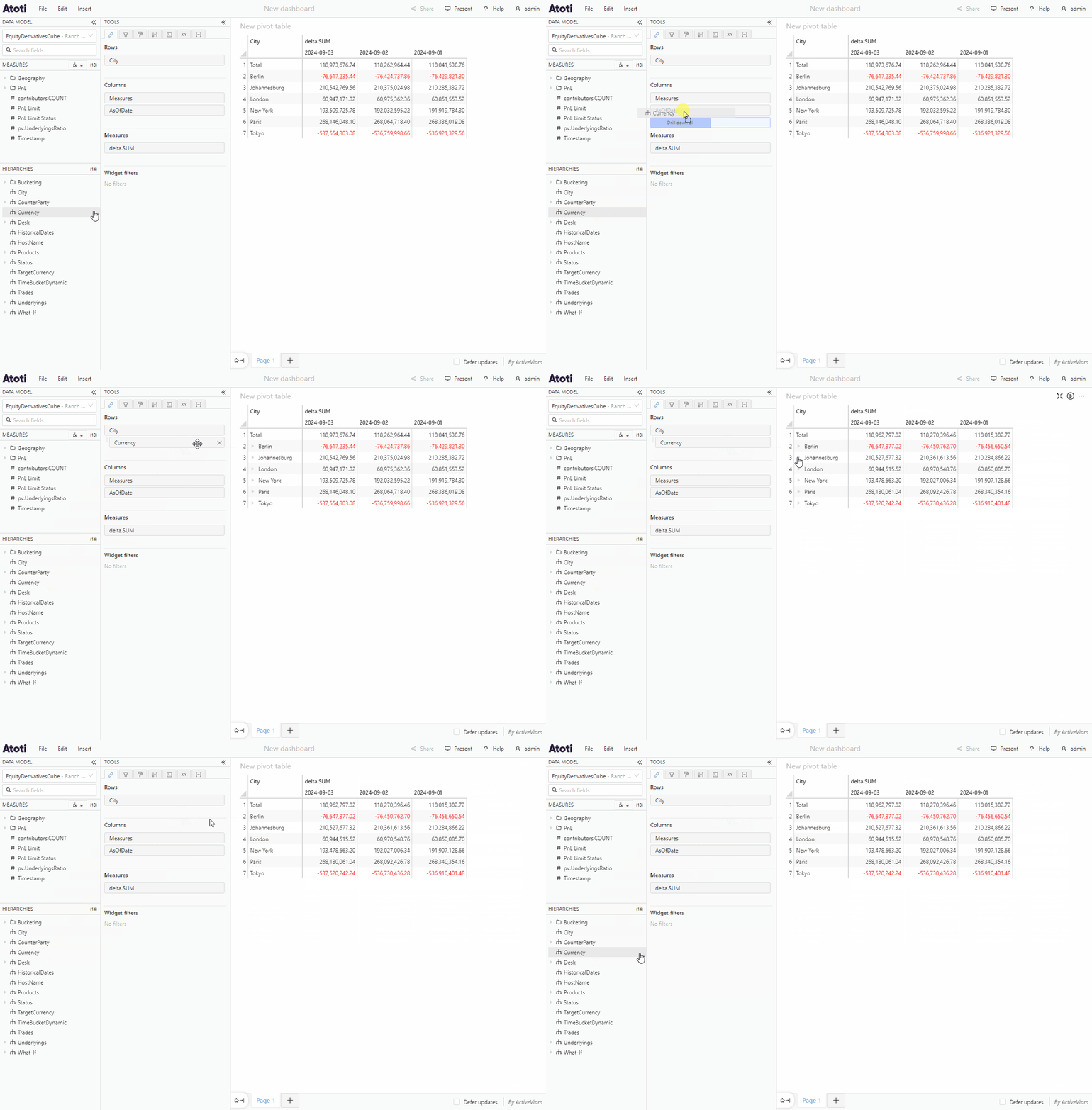
Which drop options are available below a hierarchy?
In the Fields tab, a hierarchy dropped below the tile of another hierarchy can be added in two ways:- Drill down one by one: it joins the other hierarchy in a drilldown chain.
- Drill down all: it becomes a separate tile, shown for every member of the other hierarchy at once.
What is a drilldown chain?
A drilldown chain is a sequence of hierarchies, each dropped below the previous one with Drill down one by one. Members can be drilled down individually through all the hierarchies of the chain. A drilldown chain can contain any number of hierarchies. In the Fields tab, the other hierarchies of the chain appear as tiles indented under the tile of its first hierarchy. Between two hierarchies of a drilldown chain, the only drop option is Drill down one by one.How to reorder hierarchies in a drilldown chain
Hierarchies in a drilldown chain can be reordered by dragging and dropping their tiles in the Fields tab.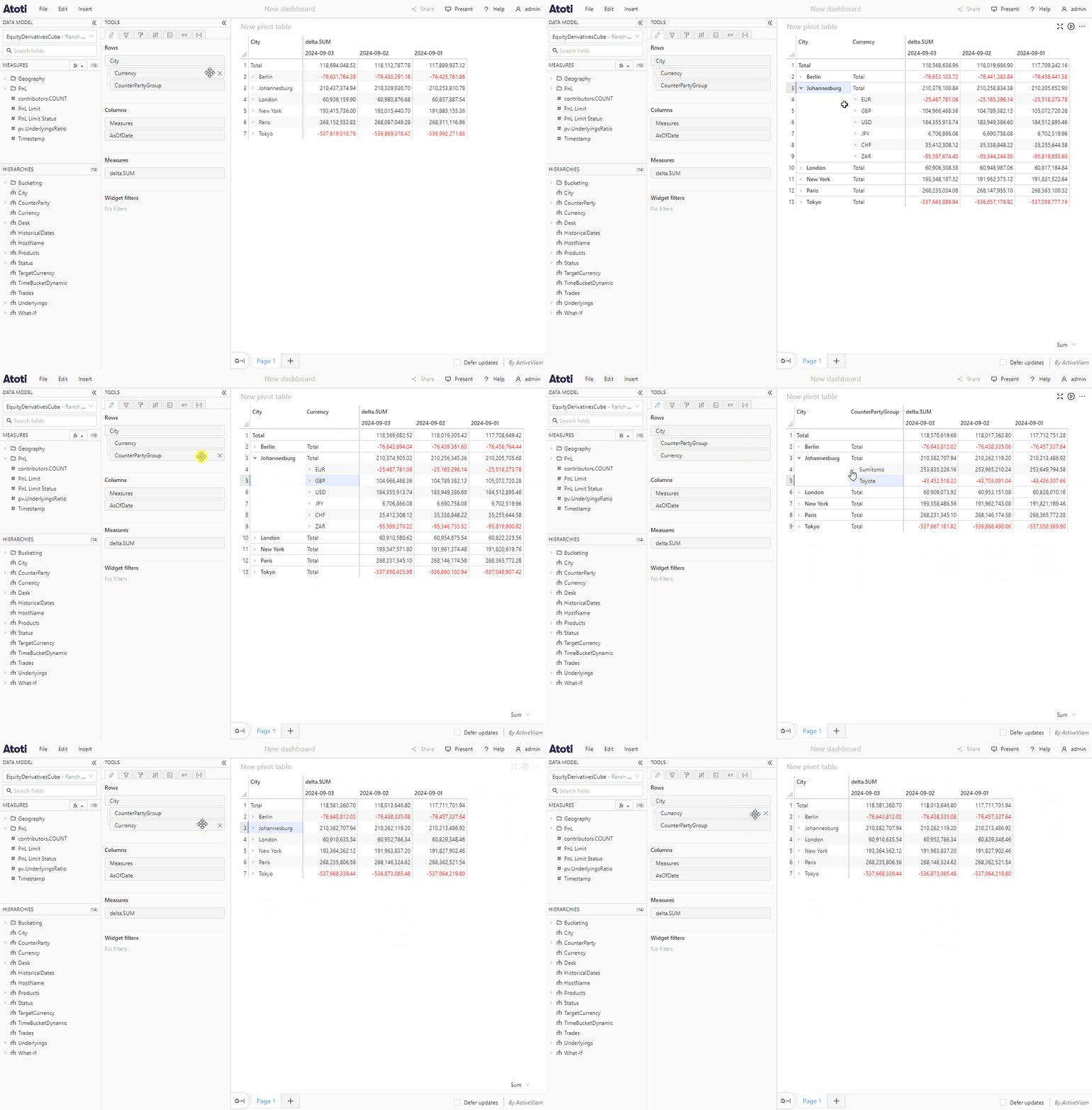
How to move a hierarchy out of a drilldown chain
A hierarchy can leave a drilldown chain without being removed from the widget:- Moved above the chain, it becomes a separate tile above the chain. Each of its members is drilled down by the chain.
- Moved below the chain, it becomes a field after the chain, as described in How do fields after a drilldown chain work?.
How to remove hierarchies from a drilldown chain
Hovering over the tile of a hierarchy in a drilldown chain shows an X. Clicking the X on the tile of the first hierarchy removes the whole chain from the widget. Clicking the X on any other tile of the chain removes only that hierarchy from the widget.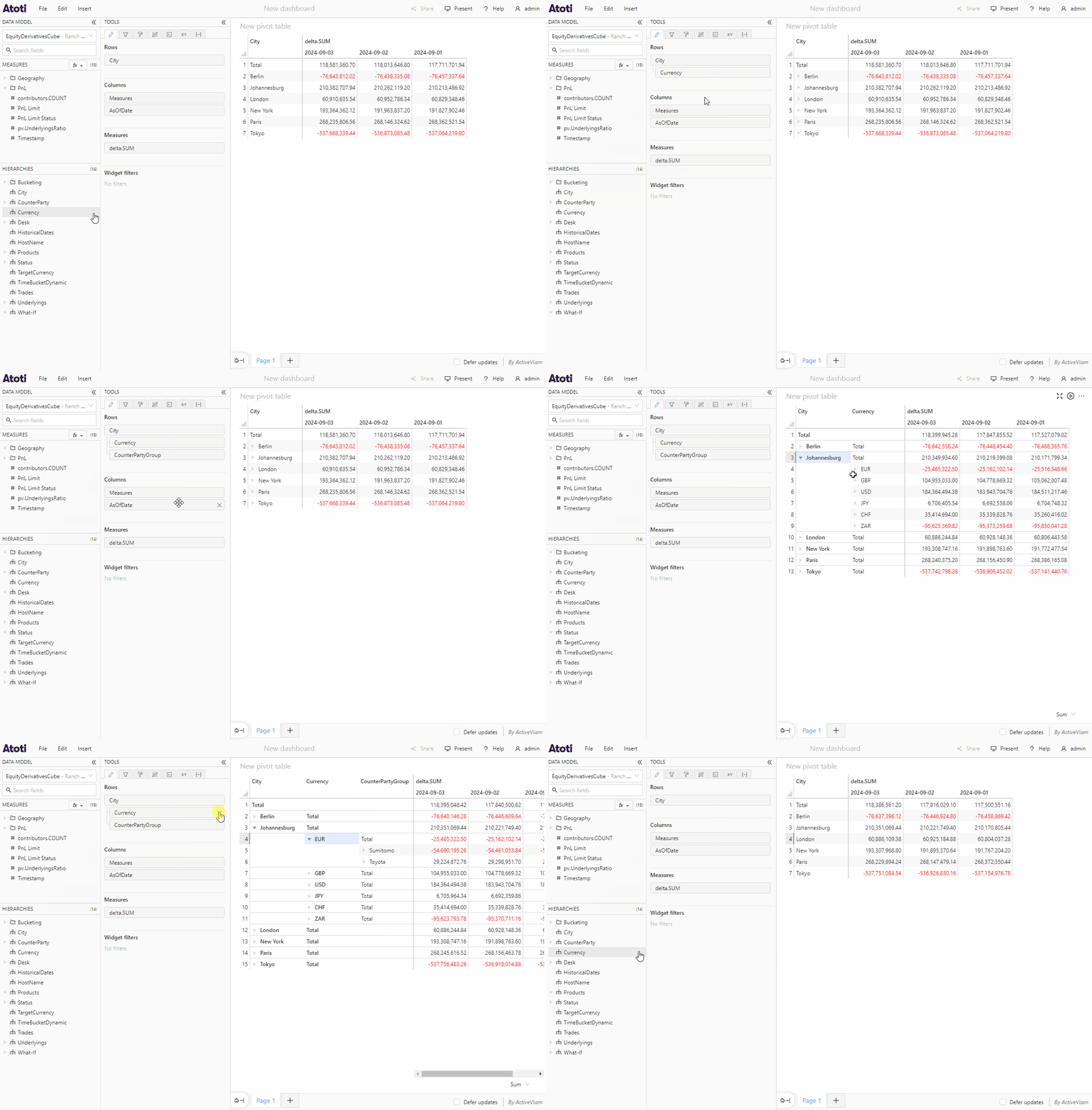
How do fields after a drilldown chain work?
In the Rows or Columns section of the Fields tab, other fields can follow a drilldown chain, including Measures. To place a hierarchy after the chain, drop it below the chain’s last hierarchy with Drill down all, since Drill down one by one adds it to the chain instead. The members of the chain keep their drilldown carets. All the members shown in the chain are drilled down by the fields after it. For example, the Rows section contains the drilldown chain made of Currency and City, followed by Measures. Every currency row shows each measure. When a currency is drilled down, every city row under it also shows each measure.